ProductApps
Mac apppreview
Approvals, plans, a canvas and AI agent terminals in one desktop app
The control room on your Mac: what needs a decision, with the evidence beside it.
InOrbit for Mac is where the work your AI agents did waits for your yes or no, with the evidence beside it. It also shows which agents are running and which of your AI subscriptions has run out of room and when it comes back. It never merges, rolls out or starts anything on its own. In early access, sent by invite.
In early access. A 30-minute call is the way in; there is no SLA during early access.
AI agents and teammates produce a stream of changes that need a decision. The evidence for each sits in a different tab, and a go given in a chat message leaves no record.
The app signs you in to your account and reads the same platform as the console. It shows what needs you; you decide.
How it works
- 01
Where it runs
- On your Mac, signed in with your own InOrbit account. The menu bar and a small background worker keep watching while the window is closed.
- 02
What it reads
- Your approvals, plans and decision records from the platform, and your AI sessions and their limits on this Mac. Secrets are hidden before they reach the screen.
- 03
What you approve
- Every change that waits for you, by a click recorded with your name.
Each line says how far it is built today. Live means anyone with an account uses it; preview means it runs in early access or as a pre-release; coming means it is written down and not built yet.
What you get
Approvals with their evidence
A change waits here with what was measured, and a click records your go.
previewYour account's pages
Your decision records, reliability, Marketplace and Explore, a 3D map of your decisions. They read the platform with your own sign-in.
previewAgents and AI subscriptions
Which AI agents are running and where, and for each of your AI subscriptions how much room is left and when it resets. If one runs out, you see it here. The menu bar and a small background helper keep watching while the window is closed. Works with Claude subscriptions today.
previewPlanner and Canvas
The Planner follows a plan while it is being written: the outline, progress, the code changes planned and their documents. Canvas is a live board of your documents and diagrams.
previewSessions, the AI kit and a terminal
Tools for people who work in the terminal: your AI sessions, a starter kit for AI tools and a terminal workspace, in the app's early builds.
previewImpact
Whether the work paid off, per session and per AI model, counted on this Mac. Every number opens the record behind it, and an estimate says it is one.
previewWindows and Linux
The same app on both. In progress and unreleased; only InOrbit for Mac ships.
coming
A real capture of the app: the Canvas board for a made-up team, with three board controls marked and explained beside it.
In the app
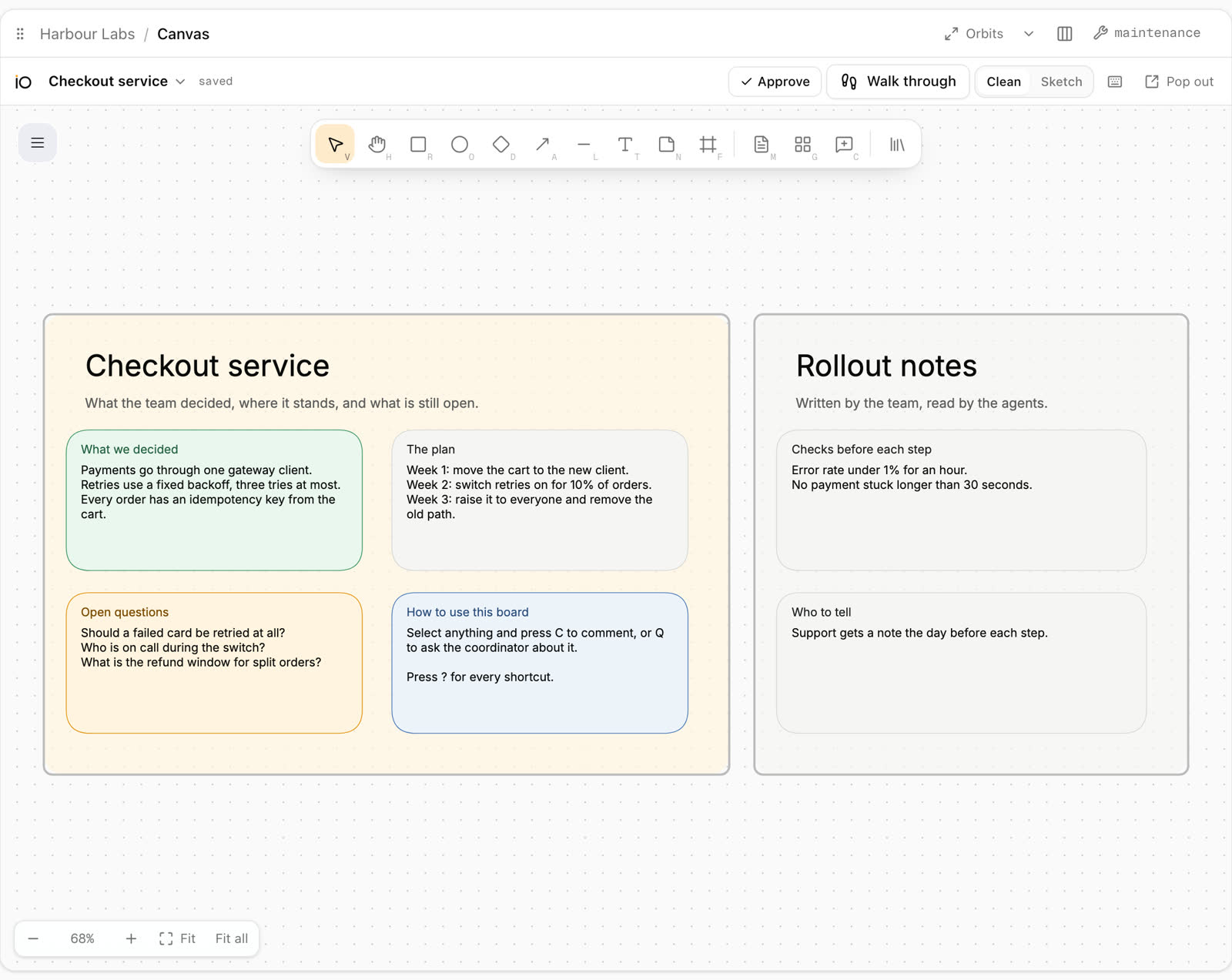
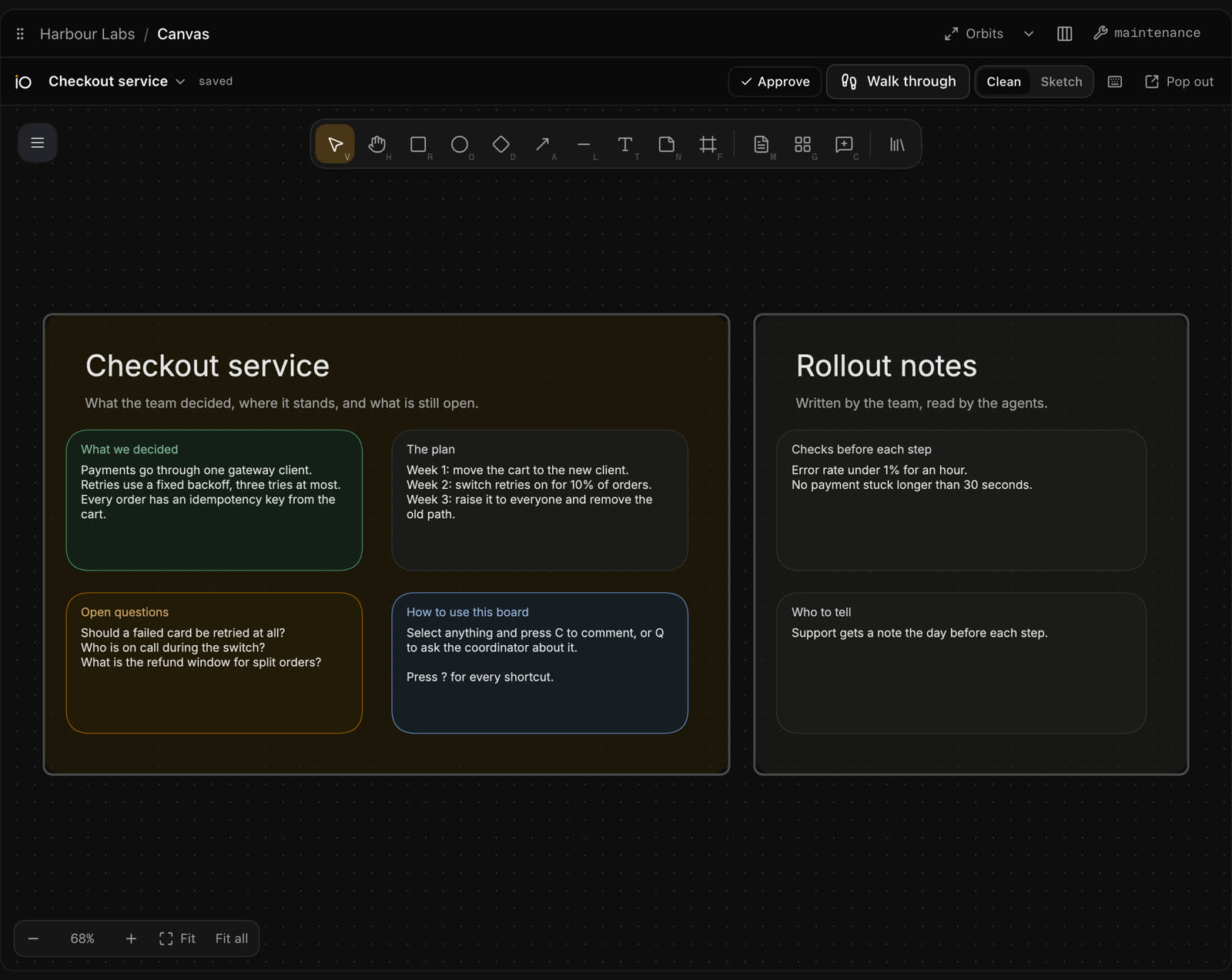
Swipe to see the whole screen →
- Approve asks you to confirm the whole board, or what you selected, with an optional note. The work starts and ends in a pull request. Nothing merges by itself.
- Walk through lists the guided stories for this board and moves you through the boxes a step at a time.
- Clean draws straight lines. Sketch draws them softly, by hand.
Taken from the app itself. The team, the boards and the numbers are sample data.
The engineer's view: terminals, phone, canvas and 3D
Give each AI agent's terminal a role, sign auto mode on your phone, share any terminal with it, work on remote hosts, and plan on a Canvas and in 3D Explore. The Coordinator page follows every job from the ask to a verified preview.
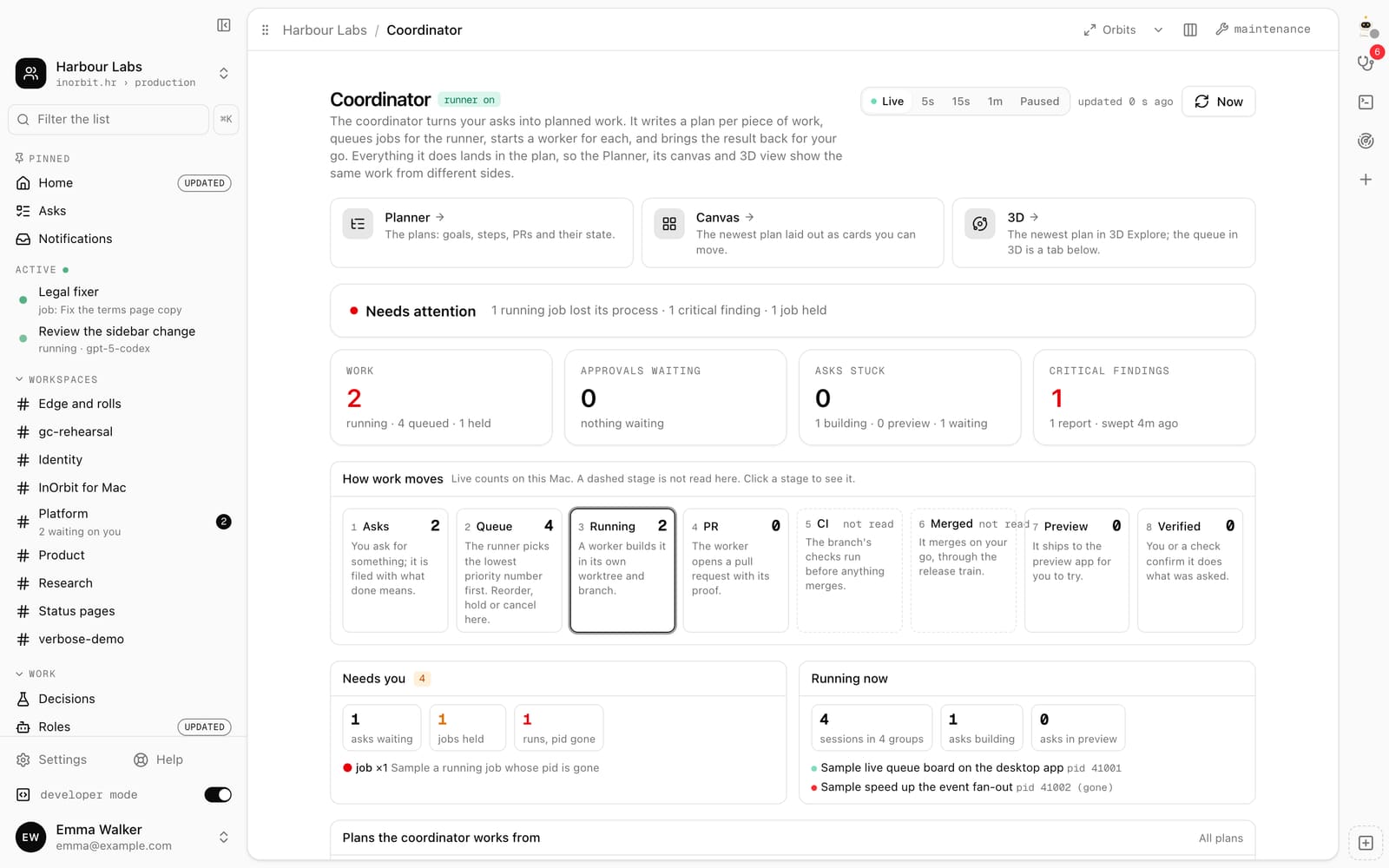
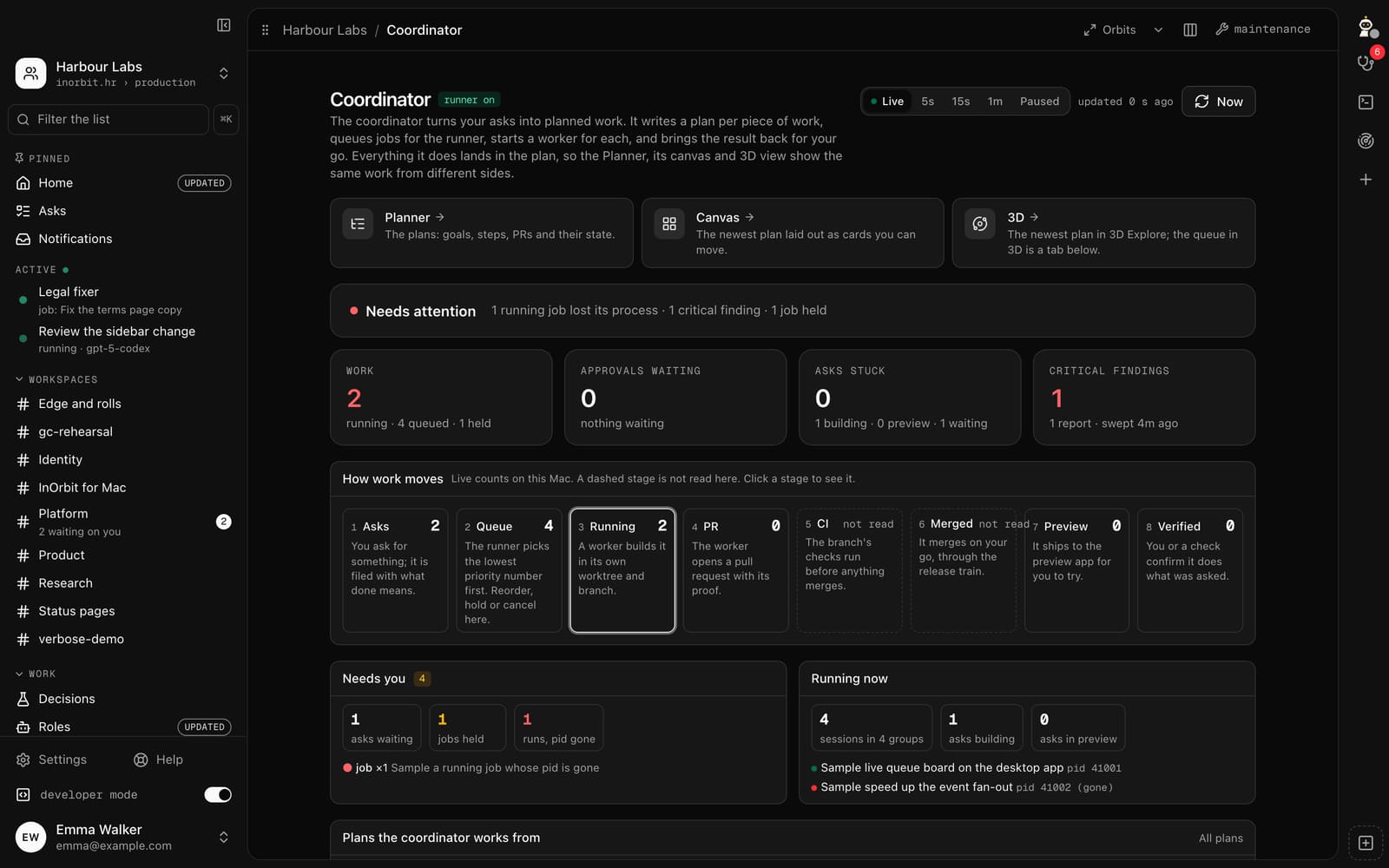
Swipe to see the whole screen →
Swipe to see the whole screen →
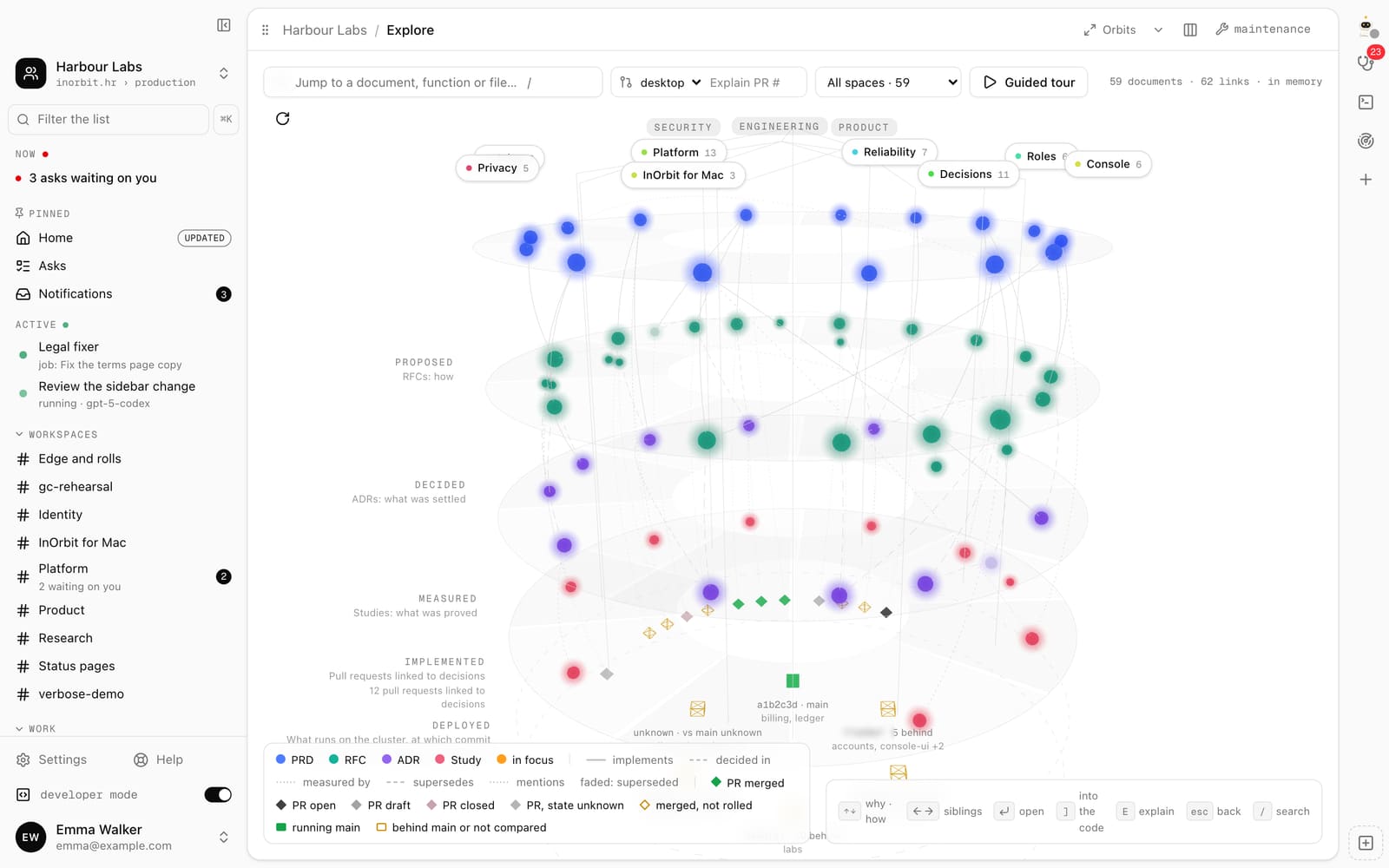
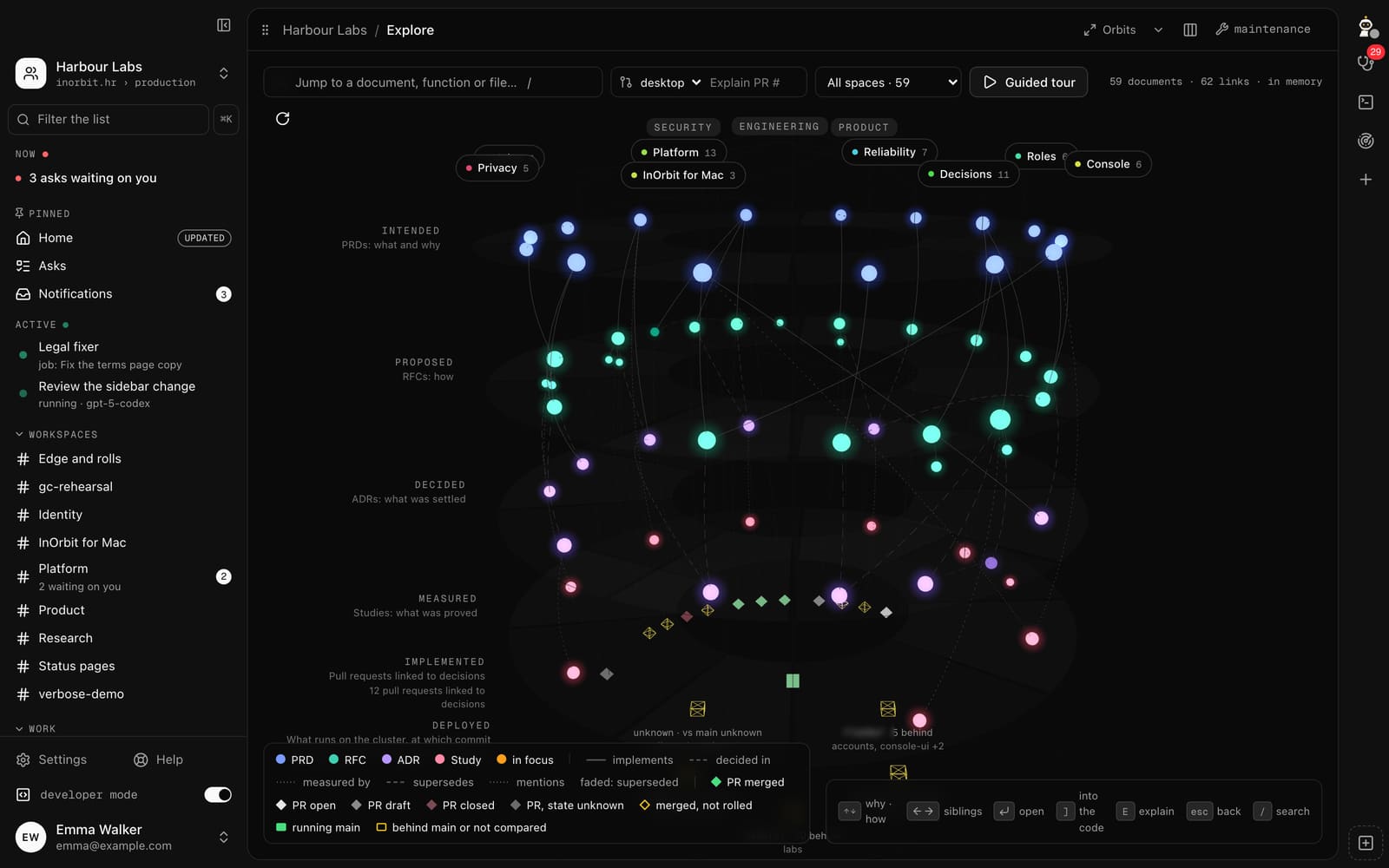
Swipe to see the whole screen →
Sample data only.
Every claim on this page has its evidence: the documents that define it, the docs that say how to use it, and the API it runs on.
Proof and links
Documents
- PRD 0038 Windows and Linux from the same code
Not on the public RFCs host yet, so named here without a link.
Docs
No docs page yet; the questions below cover how it works.
API
- RESTpreviewThe app reads the same public API as everyone else, with your own sign-in. Everything it shows you can also see elsewhere.
The evidence rule: a model saying it succeeded is never evidence. What counts is what was measured, by what, and when.
Your data, your call
It hides secrets before anything reaches the screen and reads far more than it writes.
Logs record who did what and the outcome, never content. The platform's own models are self-hosted; a third-party model provider is one you connect with your own key, and it bills you directly, with no line or markup from InOrbit. Separately, our own DPAs with model providers are in progress, none signed yet. InOrbit is not certified: no auditor has attested its controls yet, and the known gaps are listed.
Questions, answered plainly
Can I download it?
Not yet as a public download. It is in early access: book a 30-minute call and we send an invite. Releases are signed and notarized, and it asks for macOS 26 or later.
Which pages come with which plan?
Decided and not enforced yet. The pages that read your account (Decisions, Reliability, Connections, Explore) come with every plan. The local power tools (Sessions, the AI kit and the terminal) come with Personal and up.
Next step
See it on your own system
Book 30 minutes with an engineer. We look at your system together and, where it fits, open early access for your team.